How to Use ChatGPT While Browsing the Web More Efficiently
September 22, 2026
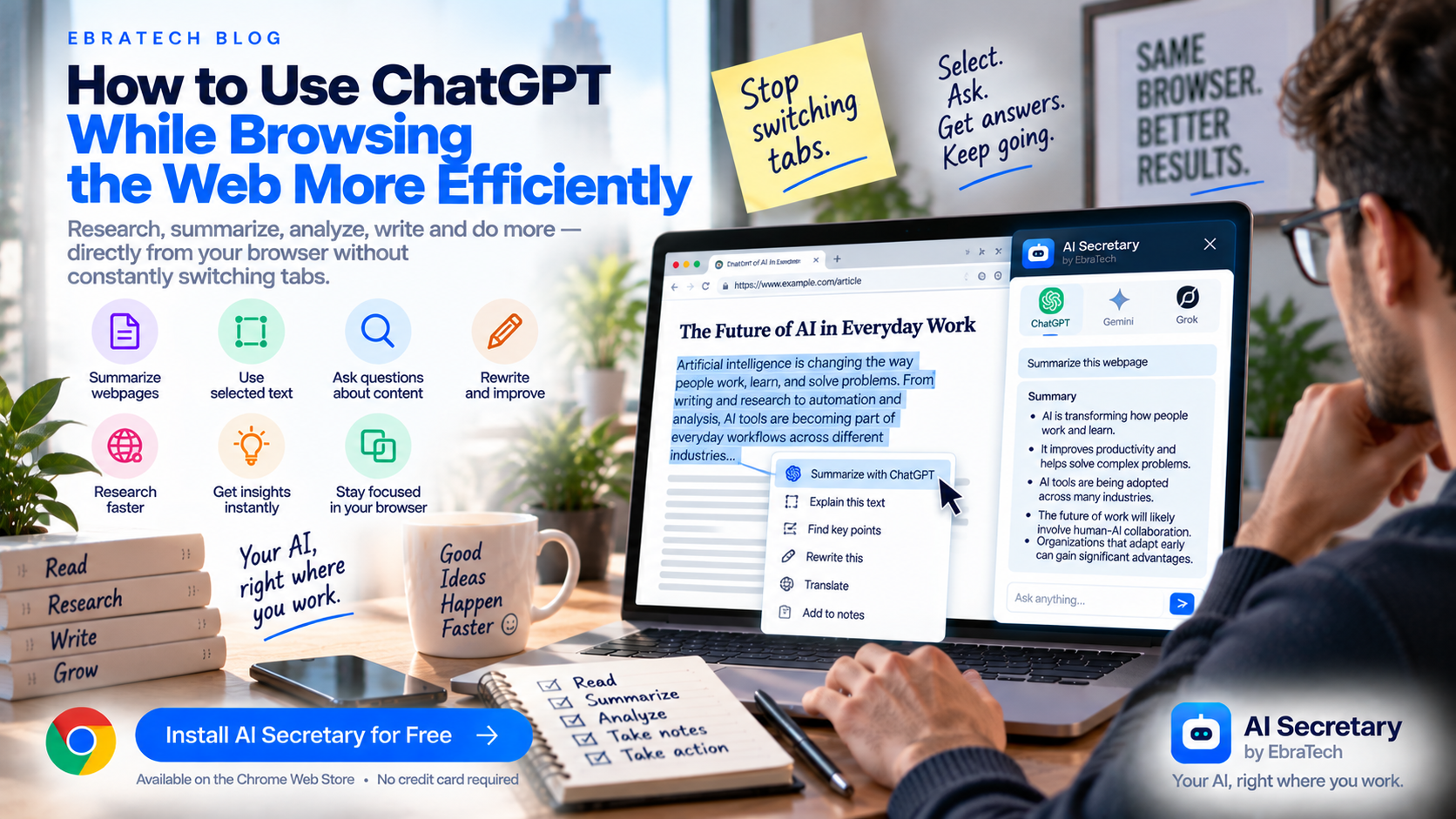
How to Use ChatGPT While Browsing the Web More Efficiently
ChatGPT has become part of everyday work for millions of people.
People use it to write emails, summarize information, research topics, explain difficult concepts, analyze documents, generate ideas, and solve problems.
But there is one common problem.
Much of the information people want ChatGPT to work with is not inside ChatGPT.
It is on the web.
You might be reading an article, researching a company, comparing products, studying documentation, looking at a job listing, or reviewing a competitor's website.
Then you want ChatGPT to help.
So you switch tabs.
You copy information.
You paste it into ChatGPT.
You write your prompt.
You read the answer.
Then you return to the original webpage.
For occasional tasks, this is fine.
But if you use AI throughout the day, repeatedly moving between your browser and ChatGPT can become a significant source of friction.
Stop switching tabs to use AI.
This guide explains practical ways to use ChatGPT as part of your browser workflow, how to work with webpage context and selected text, how to create better prompts for online content, and how browser productivity tools such as AI Secretary by EbraTech can help connect your browser work with the AI services you already use.
Why Use ChatGPT While Browsing?
The browser is where much of your information already exists.
When you browse the web, you may encounter information that you want AI to:
- Summarize
- Explain
- Analyze
- Compare
- Rewrite
- Translate
- Extract
- Research further
- Turn into notes
- Turn into an action
The faster you can connect that information with your AI workflow, the less time you spend moving information between applications.
This is especially useful for people who use AI frequently rather than only occasionally.
The Traditional ChatGPT and Browser Workflow
Consider a simple example.
You are reading a long article and find a section you do not understand.
The traditional workflow is:
- Select the relevant text.
- Copy it.
- Open ChatGPT.
- Paste the text.
- Write a question.
- Read the answer.
- Return to the article.
Now imagine doing this repeatedly while researching a topic.
The individual actions are simple, but the constant context switching interrupts your workflow.
A browser-based AI workflow attempts to reduce this friction by bringing the AI task closer to the information you are already viewing.
Use ChatGPT to Summarize Webpages
One of the most common reasons people want to use ChatGPT while browsing is summarization.
Long articles can contain a lot of information that is not immediately relevant to your goal.
You can ask ChatGPT to create a focused summary.
For example:
“Summarize this article in seven bullet points and focus on the information relevant to someone researching this topic.”
Or:
“Identify the main argument, supporting evidence, important facts, and conclusion of this article.”
The important part is to tell the AI what kind of summary you need.
A generic summary is not always the most useful result.
Use Selected Text With ChatGPT
You do not always need to give AI an entire webpage.
Sometimes you only need one paragraph or section.
For example, you may be reading technical documentation and encounter one section that you do not understand.
Select that section and ask:
“Explain this in simple language and give me a practical example.”
Or:
“Summarize this selected text in three bullet points.”
Or:
“Extract the requirements mentioned in this section.”
Selected text gives your AI workflow focused context.
Ask ChatGPT Questions About the Page Instead of Asking for a Summary
You do not always need a summary.
Sometimes you have a specific question.
For example, instead of:
“Summarize this article.”
Ask:
“Does this article provide evidence supporting the main claim? Identify the relevant evidence.”
Or:
“What are the three most important reasons presented in this article?”
Or:
“What information in this article would be most useful to a small business owner?”
This turns ChatGPT from a summarization tool into a research assistant.
Use ChatGPT to Explain Difficult Webpages
The web contains information written for very different audiences.
You may encounter technical documentation, academic research, financial explanations, legal terminology, scientific information, or industry-specific language.
Instead of repeatedly searching for simpler explanations, you can ask AI to explain the relevant section.
For example:
“Explain this section as if I understand the basics but have never worked with this technology.”
Or:
“Explain this concept using a simple real-world example.”
This can make difficult information easier to approach.
Use ChatGPT With Technical Documentation
Developers spend a large amount of time browsing documentation.
You may have several tabs open for:
- API documentation
- GitHub
- Framework documentation
- Stack Overflow
- Tutorials
- Cloud documentation
- Library references
- Issue discussions
ChatGPT can help you understand the information you are reading.
For example:
“Explain this API endpoint, identify the required parameters, and show me what each parameter is used for.”
Or:
“Summarize this documentation and create a step-by-step implementation checklist.”
Developers can also ask AI to explain selected code or documentation sections without having to manually rewrite the surrounding context.
Use ChatGPT to Research Companies
Company websites can be useful sources of information for sales, marketing, job searches, partnerships, and competitor research.
You can ask AI to analyze information such as:
- What the company does
- Who it serves
- Its products or services
- Industries it targets
- Its value proposition
- Important features
- Pricing information
- Questions that require further research
A useful prompt is:
“Analyze this company webpage and create a concise company profile. Include the company offering, target customers, main products, value proposition, and important information that should be investigated further.”
Use ChatGPT for Competitor Research
Competitor research often requires browsing several websites.
You may want to compare:
- Features
- Pricing
- Target audiences
- Product positioning
- Integrations
- Free plans
- Use cases
AI can help organize information collected from those sources.
For example:
“Compare these competitors based on their target customers, main features, pricing structure, positioning, and major differences. Separate information stated by the sources from your interpretation.”
Always verify important competitive information against the original websites.
Use ChatGPT While Shopping or Comparing Products
Online shopping can involve a lot of comparison.
Different websites may describe similar products in different ways.
You can use AI to structure information from product pages.
For example:
“Extract the price, main specifications, compatibility, important features, and limitations mentioned on this product page.”
Then compare the structured information from several products.
This can be useful when product specifications are spread across long pages.
Use ChatGPT With Job Listings
Job seekers often have to process a large number of job descriptions.
Instead of reading every listing with the same level of attention, AI can help extract the information you need.
For example:
“Analyze this job listing. Separate required qualifications, preferred qualifications, responsibilities, technical skills, education requirements, and important keywords.”
You can then compare different opportunities using the same structure.
This can make job research more organized.
Use ChatGPT to Rewrite Selected Web Text
AI is also useful when you need to transform text you are reading.
For example, you might want to:
- Make text shorter
- Make it more professional
- Make it easier to understand
- Translate it
- Turn it into bullet points
- Convert it into an email
- Create notes
- Change the tone
Select the relevant text and provide a clear instruction.
For example:
“Rewrite this in a professional but friendly tone while keeping the original meaning.”
This is much faster than manually copying the content into a separate writing application every time.
Use ChatGPT to Generate Follow-Up Research Questions
One of the most useful research workflows is asking AI what to investigate next.
After reading a webpage, ask:
“Based on this information, what are five questions I should research next?”
This can reveal gaps in your research.
You can then search for those questions and continue investigating.
The workflow becomes:
Read ? Ask AI ? Find gaps ? Search ? Analyze ? Verify.
Use ChatGPT to Turn Web Content Into Notes
Instead of simply summarizing an article, you can ask AI to create a reusable note format.
For example:
“Turn this article into structured research notes. Include the main topic, key facts, important claims, examples, conclusions, and questions for further research.”
This is useful for students, researchers, marketers, writers, and business professionals.
Use ChatGPT to Turn Information Into Action
The purpose of browsing is often not simply to read.
You may want to do something with what you discover.
For example:
- Write an email
- Prepare a report
- Contact a company
- Compare products
- Apply for a job
- Create a research document
- Share information with a team
- Continue researching a topic
This is where a browser AI workflow becomes more than a summarization tool.
It connects information with the next action.
Why Copying and Pasting Becomes a Problem
Copying and pasting is not inherently bad.
The problem is repetition.
If you use AI once or twice a day, manually moving information between tabs may not bother you.
But if you use AI every few minutes, the workflow becomes repetitive.
You constantly have to think about:
- What information should I copy?
- How much should I copy?
- Which AI tab should I use?
- What prompt should I write?
- How do I get back to the original page?
Reducing these small decisions can make AI feel much more natural in everyday work.
Use a Browser AI Assistant Instead
A browser AI assistant can act as a productivity layer between the webpage and your preferred AI services.
The goal is not necessarily to replace ChatGPT, Claude, Gemini, or other AI services.
The goal is to make them easier to use in the environment where your information already exists.
Your browser becomes the workspace.
AI becomes part of that workspace.
AI Secretary by EbraTech
AI Secretary by EbraTech is a lightweight Chrome/browser extension designed to help users work with AI, webpages, selected text, prompts, and online tools from their browser.
AI Secretary is not an AI model.
It works alongside compatible AI services and helps users build more convenient AI-powered browser workflows.
The central idea is simple:
Your AI, right where you work.
Work With the Current Webpage
AI Secretary can work with browser context such as:
- Current webpage content
- Selected text
- Other open tabs
- Context files
This means the information you are already looking at can become part of your AI workflow.
Instead of repeatedly copying information from one application to another, you can work with relevant browser context directly.
Use Selected Text With Your AI Workflow
Selected text is particularly useful when you want to focus on one specific section.
For example, select a paragraph from an article and ask AI to:
- Summarize it
- Explain it
- Rewrite it
- Translate it
- Analyze it
- Extract information from it
This is one of the simplest ways to reduce unnecessary copy and paste.
Create Reusable Custom Actions
One of the biggest advantages of AI productivity workflows is reuse.
If you perform the same task regularly, you can create a reusable custom action.
For example, you might create:
- Summarize Article
- Analyze Company
- Analyze Job Listing
- Explain Technical Text
- Extract Product Information
- Rewrite Professionally
- Create Research Notes
Each action can contain instructions that match the way you want the task performed.
Then you can reuse the workflow instead of writing the same prompt repeatedly.
Use AI Secretary With Your Preferred AI Services
AI Secretary is designed to work alongside the AI services users already prefer.
It is not intended to replace the underlying AI models.
Instead, it provides a browser productivity layer that can help connect your browser context, prompts, selected text, and workflows with compatible AI services.
This approach means you can focus on how you want to use AI rather than constantly thinking about where the AI conversation is located.
Use Web Tools Alongside AI
Not every task requires an AI model.
Sometimes you need a search.
Sometimes you need translation.
Sometimes you need a map.
Sometimes you need a calculation.
Sometimes you need pronunciation or language-learning assistance.
AI Secretary includes web-tool workflows that can help connect these activities with your browser work.
This makes it easier to move from:
Information ? Understanding ? Action.
Use Communication Workflows After AI Helps You
Another common workflow is using AI to prepare something that you then need to communicate.
For example, you might ask AI to:
- Rewrite an email
- Summarize a discussion
- Prepare a message
- Turn research into a short update
- Organize information for a team
You can then use browser-based communication workflows to prepare the information for sharing while remaining in control of the final recipient and sending action.
Use AI While Browsing Without Changing Your AI Habits
One advantage of a browser productivity layer is that you do not necessarily have to completely change the AI services you already use.
If you prefer a particular AI service, the goal is to make your browser workflow work better with it.
Instead of asking:
“Which AI should replace everything I use?”
You can ask:
“How can I make the AI tools I already use easier to access while I work?”
That is a different approach to AI productivity.
Use AI Where the Information Is
The most useful AI workflow often begins with context.
You are already looking at a webpage.
You already have a question.
You already have selected text.
You already have several sources open.
You already know what you want to accomplish.
The AI should fit into that workflow rather than forcing you to leave it every time you need assistance.
Do Not Give AI More Information Than It Needs
More context is not always better.
If you only need one paragraph analyzed, sending an entire website may make the task less focused.
If you need to understand the overall argument of an article, however, a small paragraph may not be enough.
This is why both webpage context and selected text can be useful.
Use the amount of context that matches the task.
Always Verify Important Information
AI can make mistakes.
It can misunderstand content, omit important details, or generate an interpretation that is not supported by the original source.
For important decisions, return to the original information and verify the relevant claims.
This is especially important for:
- Medical information
- Legal information
- Financial information
- Government information
- Employment decisions
- Academic research
- Technical implementation
A useful workflow is:
Ask AI ? Review the answer ? Verify important information ? Decide.
Who Can Benefit From Using AI While Browsing?
Students
Students can use AI to understand articles, summarize study material, explain difficult concepts, and organize information while following their school's policies on AI use.
Developers
Developers can use AI to understand documentation, analyze selected technical content, research technologies, and create reusable development workflows.
Researchers
Researchers can use AI to summarize sources, compare information, identify research gaps, and generate follow-up questions.
Marketers
Marketers can use AI to analyze competitor websites, research industries, study product pages, and work with customer-facing content.
Sales Professionals
Sales professionals can research companies, prospects, products, and industries before preparing for conversations.
Job Seekers
Job seekers can analyze job descriptions, extract requirements, research employers, and organize information about potential opportunities.
Business Owners
Business owners can use AI while researching competitors, products, markets, customers, and industry developments.
Build Your Own AI Browser Workflow
There is no single workflow that works for everyone.
Your ideal setup depends on what you do every day.
Start by identifying repetitive tasks.
Ask yourself:
- What information do I repeatedly copy into AI?
- What webpages do I frequently analyze?
- What prompts do I repeatedly write?
- What information do I repeatedly extract?
- What websites do I repeatedly use after an AI answer?
- What communication tasks follow my research?
These are good candidates for browser AI workflows and reusable actions.
Turn Repetitive Prompts Into Actions
Imagine you research competitors every morning.
Instead of writing the same prompt twenty times, create one reusable action.
Imagine you analyze job descriptions every afternoon.
Create a job-analysis action.
Imagine you read technical documentation every day.
Create a documentation-explanation action.
This is where AI productivity becomes more than simply having access to an AI chatbot.
You are building workflows around the way you actually work.
Stop Switching Tabs to Use ChatGPT
ChatGPT can be extremely useful, but the workflow surrounding it matters.
If your information is in Chrome and your AI conversation is somewhere else, you can spend a surprising amount of time moving information between them.
That is the problem browser AI productivity tools are trying to solve.
AI Secretary by EbraTech is designed around this exact idea.
Use your browser as the workspace.
Use your preferred AI services as the intelligence layer.
Use context, selected text, prompts, custom actions, and web tools to connect the two.
Stop switching tabs to use AI.
Try AI Secretary for Free
If you already use ChatGPT or another AI service while browsing, AI Secretary can help you build a more connected workflow around the way you work.
You can work with:
- Webpage context
- Selected text
- Other open tabs
- Context files
- Prompts
- Custom actions
- AI services
- Web tools
- Communication workflows
AI Secretary has a free plan that you can use forever with no credit card required.
You can also collect additional actions through available rewards, including visiting the EbraTech website daily. For many people with normal usage, the free plan together with available rewards can provide enough actions for everyday use.
Try AI Secretary for free on the Chrome Web Store
No credit card is required.
Frequently Asked Questions
How can I use ChatGPT while browsing the web?
You can use ChatGPT as part of your browsing workflow by providing it with relevant webpage information, selected text, or other context and asking it to analyze, summarize, explain, rewrite, or research that information.
Can ChatGPT analyze a webpage?
ChatGPT can analyze webpage information when the relevant content is available to it through an appropriate browsing or context workflow. A browser AI productivity extension can help connect webpage information with an AI workflow.
How can I use ChatGPT on selected text?
Select the relevant text and provide it as context for an AI task such as summarization, explanation, rewriting, translation, or analysis.
How do I stop switching between ChatGPT and Chrome?
A browser AI assistant can reduce unnecessary tab switching by bringing AI workflows closer to the webpage and selected information you are already working with.
Can I use ChatGPT to summarize webpages?
Yes. When the relevant webpage content is available to ChatGPT, you can ask it to create summaries, extract facts, explain sections, or answer specific questions about the content.
Can I use AI to analyze multiple webpages?
AI can help compare information from multiple webpages when the relevant content is available as context. Important information should be checked against the original sources.
Can developers use ChatGPT while browsing documentation?
Yes. Developers can use AI to explain technical documentation, analyze selected sections, extract requirements, compare technologies, and create reusable workflows.
Can students use ChatGPT while browsing?
Yes. Students can use AI to understand educational content, summarize articles, create notes, and explain concepts, while following their school's rules regarding AI use.
Can I create reusable ChatGPT prompts for browser tasks?
Yes. Reusable prompts and custom actions can help automate the instructions you repeatedly use for tasks such as summarization, research, writing, analysis, and information extraction.
Is AI Secretary an AI model?
No. AI Secretary is a lightweight browser productivity extension and workflow layer. It works alongside compatible AI services rather than being the underlying AI model.
Can I use AI Secretary for free?
Yes. AI Secretary offers a free plan that can be used forever with no credit card required. Available rewards can also provide additional actions.
Where can I install AI Secretary?
You can install AI Secretary from the Chrome Web Store and start with the free plan.
Conclusion
ChatGPT is useful on its own, but the way you access it can have a major effect on your workflow.
If your information is already in Chrome, constantly moving between your browser and an AI website can create unnecessary friction.
A better approach is to make AI part of the environment where you already work.
Use webpage context when you need the bigger picture.
Use selected text when you need focused analysis.
Create reusable prompts when you repeat the same task.
Use custom actions when those workflows become part of your daily work.
Use web tools and communication workflows when you need to move from information to action.
And always verify important information against the original source.
Stop switching tabs to use AI.
Your AI, right where you work.
Learn more about AI Secretary by EbraTech and see how it can help you work with your preferred AI services directly from your browser.
Or start with the free plan:
Try AI Secretary for free on the Chrome Web Store
No credit card is required.