How Students Can Use AI to Study and Research More Effectively
August 25, 2026
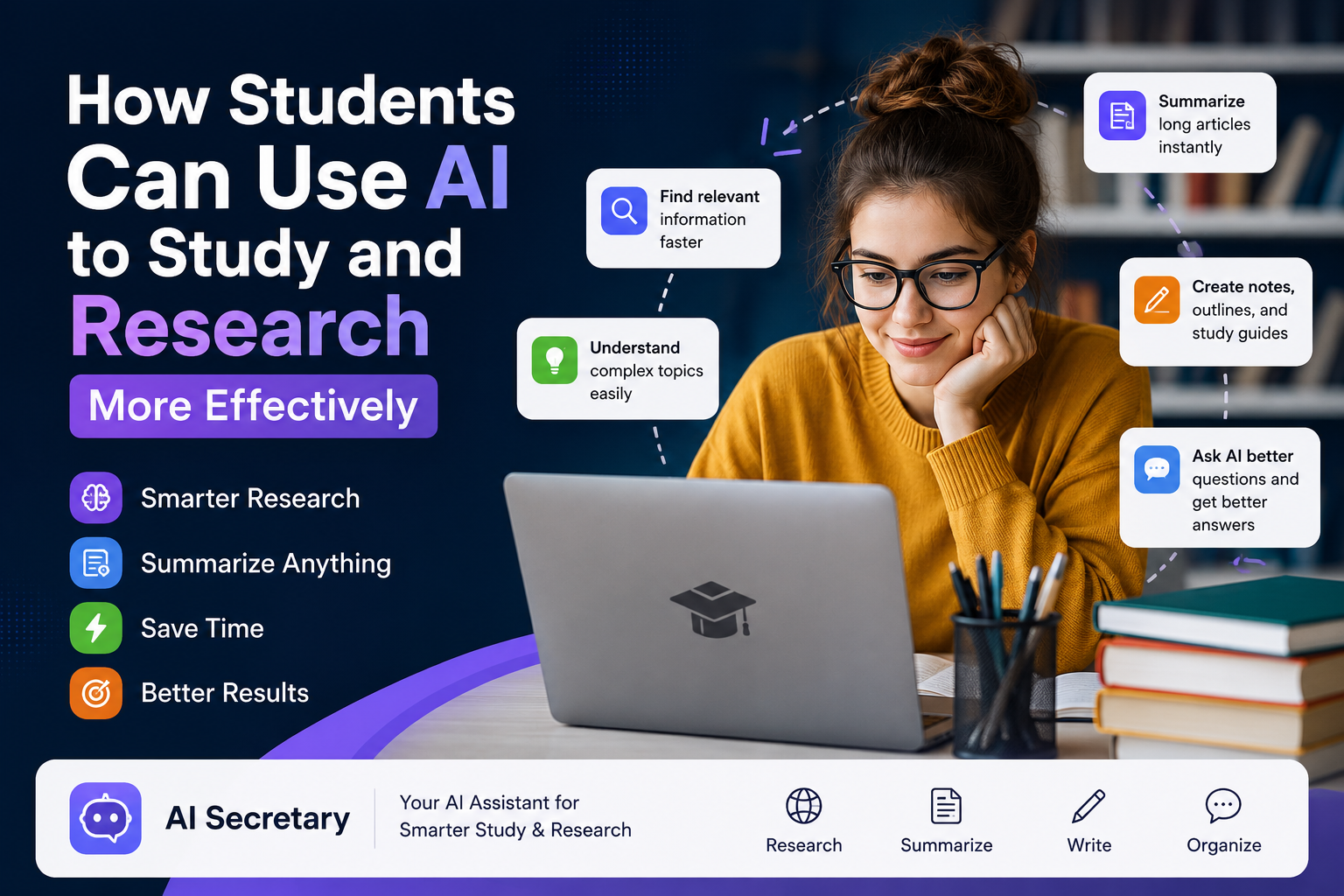
How Students Can Use AI to Study and Research More Effectively
Students today have access to more information than ever before. Online textbooks, academic papers, university websites, research databases, tutorials, documentation, and educational resources make learning easier—but they can also make studying overwhelming.
The real challenge is not simply finding information. Students need to know what to look for, which questions to ask, how to understand difficult concepts, and how to turn large amounts of information into useful knowledge.
This is where artificial intelligence (AI) can become a powerful study and research tool. When used responsibly, AI can help students understand complicated subjects, create practice questions, explore research topics, organize ideas, improve their study process, and become more productive.
The goal is not to let AI do your studying for you. Instead, the goal is to use AI to study smarter while keeping your own thinking, judgment, and learning at the center.
What Is AI for Students?
AI for students means using artificial intelligence tools to support learning, studying, research, organization, writing, and academic productivity.
For example, students can use AI to:
- Explain difficult concepts in simple language
- Create practice questions and quizzes
- Generate flashcards
- Summarize complicated information
- Identify important concepts in an article
- Brainstorm research topics
- Develop research questions
- Compare different sources and arguments
- Improve the clarity of their writing
- Prepare for exams
- Create personalized study plans
- Generate useful questions about online content
AI can be especially useful when students are researching information online. Instead of opening a webpage and wondering what to ask an AI tool, a contextual AI tool can help suggest questions based on the content currently being viewed.
EbraTech AI Secretary is designed around this type of workflow. The browser extension provides AI prompt recommendations based on relevant webpage context, helping users discover useful questions while reading and researching online.
1. Use AI to Understand Difficult Concepts
One of the most useful applications of AI for studying is getting help when a subject is difficult to understand.
Students studying physics, chemistry, economics, computer science, mathematics, biology, engineering, history, law, or other subjects can use AI to approach complicated concepts from different perspectives.
For example, instead of simply asking for an answer, try asking:
“Explain this concept in simple language as if I am a first-year university student. Then give me a real-world example and explain the three most important things I should remember.”
You can then ask AI to provide a more advanced explanation using technical terminology.
This approach helps you gradually build understanding instead of trying to memorize information that you do not fully understand.
2. Turn Academic Articles Into Study Material
Academic research papers can be difficult to understand because they often contain technical terminology, complex methodologies, statistics, and unfamiliar concepts.
AI can help students interact with research papers more effectively.
Useful questions include:
- What is the main research question of this paper?
- What methodology did the researchers use?
- What are the most important findings?
- What are the limitations of this study?
- Explain the conclusion in simple language.
- What terminology should I understand before reading this paper?
- What questions should I investigate further?
These questions transform passive reading into active learning. Instead of simply reading an article from beginning to end, you interact with the material and continuously investigate its meaning.
3. Use AI to Generate Better Research Questions
Starting a research project can be difficult because the initial topic is often too broad.
For example, “climate change” is a very broad topic. A more focused question might be:
“How does climate change affect water availability in urban areas?”
AI can help students move from a general subject to more focused and researchable questions.
Try asking:
“Give me 10 research questions about [topic]. Divide them into beginner, intermediate, and advanced questions.”
You can then evaluate the suggestions yourself and choose a research question that is appropriate for your assignment and available sources.
4. Use AI While Researching the Web
Modern students often conduct research directly through their web browsers. You might open an academic article, a university website, a government report, a research paper, and several other sources during a single research session.
The challenge is keeping track of all the information and knowing what questions to ask next.
This is where contextual AI assistance can be useful.
EbraTech AI Secretary is designed to provide prompt recommendations based on relevant content from the webpage you are viewing.
For example, while reading a research article, useful questions might include:
- What is the main argument of this article?
- What evidence does the author provide?
- What assumptions does the author make?
- What are the strongest and weakest parts of this argument?
- How does this article relate to my research topic?
- What should I investigate next?
Having useful questions available while you browse can make online research more interactive and efficient.
5. Create Better Study Questions
One of the most effective ways to learn is to test yourself.
Instead of repeatedly reading the same notes, ask AI to turn your study material into questions.
For example:
“Create 15 multiple-choice questions from these notes. Do not show me the answers until I respond.”
You can also request short-answer questions, true-or-false questions, definition questions, application questions, scenario-based questions, or exam-style questions.
For difficult subjects, ask AI to gradually increase the difficulty:
“Start with five basic questions, then give me five intermediate questions and five advanced application questions.”
This creates a more active study session and helps you discover which topics you actually understand.
6. Create Flashcards From Your Research
Flashcards are useful for learning terminology, definitions, formulas, historical dates, scientific concepts, and other important information.
AI can transform your notes into flashcard-style questions.
For example:
“Convert these notes into 30 flashcards. Put the question on one side and the answer on the other. Focus on the most important concepts.”
You can also ask AI to identify the most important concepts before creating the flashcards.
7. Ask AI to Compare Different Sources
Research often requires students to examine multiple sources. AI can help organize and compare information once you have collected the relevant material.
For example:
“Compare these two sources. Identify where they agree, where they disagree, and what evidence each source uses.”
You can also ask AI to compare the arguments, methodology, evidence, limitations, and conclusions of different research papers.
However, students should always return to the original sources before using information in academic work. AI can misunderstand context or produce incorrect information, so important facts and citations should be independently verified.
8. Use AI as a Research Brainstorming Partner
Sometimes students know the general subject they want to study but cannot think of enough research ideas.
AI can be useful as a brainstorming partner.
For example:
“Give me 15 possible research directions related to renewable energy and environmental management.”
You can then continue:
“Group these ideas into environmental, economic, technological, and social categories.”
Finally, you could ask:
“Which three ideas would be easiest to research using publicly available academic sources?”
This creates an interactive research process instead of relying on a single AI response.
9. Improve Your Academic Writing Process
AI can also help students improve their writing without necessarily writing an entire assignment for them.
For example, AI can help identify:
- Grammar problems
- Unclear sentences
- Repeated ideas
- Weak transitions
- Logical gaps
- Unsupported claims
- Unclear terminology
- Structural problems
A useful prompt is:
“Review this paragraph for clarity and logical structure. Do not rewrite it. Identify the problems and explain how I can improve them.”
This approach encourages students to make the improvements themselves and learn from the feedback.
10. Build a Personalized Study Plan
Students often have to manage several exams, assignments, projects, and deadlines at the same time.
AI can help turn a large workload into smaller and more manageable tasks.
For example:
“I have 14 days to prepare for my biology exam. I can study two hours per day. Create a realistic study schedule covering these five topics.”
You can then ask AI to add practice tests, review sessions, and additional time for subjects you find difficult.
Remember that AI-generated schedules should be adjusted according to your actual availability, deadlines, energy levels, and learning preferences.
11. Use AI to Learn From a Webpage
One particularly useful approach is using AI while browsing.
Suppose you are reading an article about artificial intelligence. Instead of leaving the webpage and starting from scratch, you could ask questions such as:
- What are the three most important ideas on this page?
- What terminology should I learn?
- Give me five questions I should ask about this article.
- Explain the most complicated section.
- What information here could be useful for my research?
- What claims should I verify using another source?
EbraTech AI Secretary is designed for this type of contextual workflow. By providing prompt recommendations based on webpage context, it can help students discover useful questions while they read, study, and research online.
12. Ask AI to Prepare You for Exams
AI can become a useful practice partner before an exam.
For example, you can ask:
“Act as my exam tutor. Ask me one question at a time about these topics. Do not give me the answer immediately. After I answer, evaluate my response, explain my mistakes, and ask the next question.”
This approach requires you to actively think instead of simply reading answers.
You can also ask AI to identify your weak areas:
“Based on my answers, identify the three topics I understand least and create a mini study plan for them.”
This creates a useful learning cycle:
Study ? Test ? Identify weaknesses ? Review ? Test again.
13. Use AI to Explain Research Terminology
Research papers frequently contain terminology that students may not understand.
Instead of searching for every term separately, ask AI to create a mini glossary:
“Identify the 15 most important technical terms in this article and explain each one in simple language.”
You can then ask for real-world examples to make the terminology easier to remember.
14. Ask AI to Challenge Your Thinking
One of the most powerful uses of AI is asking it to challenge your ideas rather than simply agree with you.
Try questions such as:
- What are the strongest arguments against my position?
- What evidence would someone who disagrees with me use?
- What assumptions am I making?
- What are the weaknesses in my argument?
- What alternative explanations should I consider?
This can help students develop critical-thinking skills and approach research from multiple perspectives.
15. Never Treat AI as an Automatic Source of Truth
This is one of the most important rules for students using AI.
AI can produce incorrect information, misunderstand sources, invent citations, misinterpret statistics, or provide outdated information.
It can also produce an answer that sounds highly convincing even when the information is incorrect.
Therefore, AI should be treated as a learning and research assistant, not the final authority.
When information is important, verify it using reliable sources such as:
- Peer-reviewed research
- University websites
- Government publications
- Academic databases
- Official organizations
- Original research papers
- Trusted textbooks
16. Protect Academic Integrity
Using AI to study and using AI to complete an assignment are not necessarily the same thing.
Every university, school, professor, and course may have different rules regarding AI.
Students should always check the applicable academic policies before using AI for coursework.
AI can be useful for activities such as:
- Understanding course material
- Brainstorming ideas
- Creating practice questions
- Explaining difficult concepts
- Reviewing your own writing
- Organizing research ideas
- Preparing for exams
However, submitting AI-generated work as your own may violate academic rules.
The safest principle is simple:
Use AI to improve your learning, not to replace your learning.
17. A Simple AI Study Workflow for Students
Step 1: Find Reliable Information
Start with textbooks, academic papers, university resources, government websites, and other credible sources.
Step 2: Read the Material Yourself
Try to understand the material before immediately asking AI to summarize it.
Step 3: Ask Questions
Use AI to explain difficult concepts, terminology, arguments, and relationships.
Step 4: Test Yourself
Ask AI to create questions based on what you studied.
Step 5: Identify Weaknesses
Review the questions you answered incorrectly and ask AI to explain the underlying concepts.
Step 6: Research Further
Use AI-generated questions to discover additional sources and perspectives.
Step 7: Verify Important Information
Return to original sources and confirm important facts, statistics, quotations, and citations.
Step 8: Create Your Own Final Work
Your analysis, conclusions, writing, and academic decisions should remain your own unless your institution explicitly permits another workflow.
Useful AI Prompts for Students
Understanding a Topic
“Explain this topic in simple language, then give me a university-level explanation and a real-world example.”
Research Paper
“Identify the research question, methodology, main findings, limitations, and conclusion of this paper.”
Critical Thinking
“Challenge the main argument presented here. What are the strongest counterarguments?”
Study Questions
“Create 20 exam-style questions from these notes. Ask me one at a time and evaluate my answers.”
Flashcards
“Turn these notes into 25 concise flashcards focusing on the most important concepts.”
Research Ideas
“Give me 10 focused research questions about this topic and explain what evidence I would need to investigate each one.”
Source Comparison
“Compare these sources and identify their major similarities, differences, evidence, assumptions, and limitations.”
Writing Feedback
“Review my paragraph for clarity, structure, grammar, and logical reasoning. Identify problems without rewriting the paragraph for me.”
Exam Preparation
“Create a seven-day study plan for these topics. Include active recall, practice questions, and review sessions.”
Web Research
“Based on this webpage, what are the five most useful questions I should ask to understand the topic more deeply?”
How EbraTech AI Secretary Can Help Students
One of the biggest challenges when using AI is not necessarily the AI itself. It is knowing what to ask.
A student may open an article, research paper, documentation page, or educational website and know they need help—but not know which prompt will produce a useful result.
EbraTech AI Secretary is designed to address this problem by providing contextual AI prompt recommendations.
The browser extension can analyze relevant webpage context and suggest useful prompts based on what you are viewing. This can be useful when reading articles, researching topics, reviewing documentation, and working with online content.
Instead of starting with a blank prompt box, students can use a workflow like:
Open a webpage ? Understand the context ? Get prompt ideas ? Ask better questions ? Learn more effectively.
Learn more about EbraTech AI Secretary
The Future of Studying Is Students With AI
Artificial intelligence is becoming increasingly important in education, research, and everyday knowledge work.
The most successful students will not necessarily be those who use AI the most. They will be the students who understand when to use AI, what to ask, how to evaluate its answers, and when to rely on their own judgment.
AI can help you explore a subject, understand difficult information, generate questions, organize research, practice for exams, and discover new perspectives.
But curiosity, critical thinking, judgment, and genuine understanding remain essential.
The best approach is therefore not:
“Let AI do my studying.”
It is:
“Use AI to make my studying more effective.”
Final Thoughts
AI has the potential to become one of the most useful tools available to students—but only when it is used intelligently and responsibly.
Use AI to ask better questions, understand difficult concepts, explore research topics, test your knowledge, and discover new perspectives.
Use reliable sources to verify important information. Follow your school's or university's AI policy. Most importantly, make sure AI supports your learning rather than replacing it.
For students who spend a lot of time researching and reading online, EbraTech AI Secretary can make the process easier by suggesting useful AI prompts based on the webpage they are already viewing.
Instead of staring at a blank prompt box and wondering what to ask next, students can start with suggestions relevant to the content in front of them.
Study smarter. Ask better questions. Research more effectively.
Frequently Asked Questions
Can students use AI for studying?
Yes. Students can use AI for activities such as explaining concepts, generating practice questions, creating study materials, brainstorming research ideas, reviewing writing, and preparing for exams. However, students should always follow their institution's rules regarding AI use.
What is the best way to use AI for studying?
The most effective approach is to use AI interactively. Ask it to explain concepts, test your knowledge, challenge your assumptions, and identify weaknesses instead of simply asking it to provide answers.
Can AI help with academic research?
Yes. AI can help students brainstorm research questions, understand difficult papers, compare information, identify concepts, and organize ideas. Important claims and sources should always be independently verified.
How can AI help students research online?
AI can help students analyze webpage content, identify important concepts, generate research questions, summarize information, and suggest useful follow-up questions. Context-aware tools can make this process faster by recommending prompts based on the page being viewed.
What is EbraTech AI Secretary?
EbraTech AI Secretary is a browser extension that provides AI prompt recommendations based on relevant webpage context. It is designed for activities such as reading articles, researching topics, reviewing documentation, and working with online content.
Can AI replace studying?
AI should not replace studying. The strongest use of AI is as a tool that helps students understand, practice, question, research, and improve their learning.
Should students trust AI-generated information?
No source should be trusted blindly, including AI. Students should verify important facts, statistics, quotations, citations, and research claims against reliable original sources.
Start Studying Smarter
Ready to make online studying and research more efficient?
Try EbraTech AI Secretary and discover a faster way to find useful AI prompts while you browse, study, and research.